Transcribe Japanese audio on your own computer and listen with Korean, English or Chinese subtitles.New in 0.3.39: listen in bed on your phone (two-line subtitles, sleep timer) and search every spoken line across all tracks.
Updated continuously from launch on Sep 29 to 0.3.39; buyers can get new versions at no extra cost. I usually reply within a day.
Made by koedana, an independent developer. By default no audio is uploaded, no account is needed, and it is a one-time purchase.
→ Try the free edition first: organizing, playback and Japanese transcription are unlimited; translated subtitles cover the first 3 minutes of each track.
0.3.39 launch price: first 50 copies $19 (50 left). It returns to the regular $29 after 50 copies sell.
The app is not code-signed yet (that needs a paid certificate), so macOS and Windows show a warning. You can check the file with the SHA256 above.
macOS
Extract the zip → open the .dmg and drag the app to Applications
Launch once and dismiss the “cannot be opened” warning
System Settings → Privacy & Security → “Open Anyway” at the bottom → enter your Mac password
Windows
Extract the zip
Run setup.exe
“Windows protected your PC” → “More info” → “Run anyway”
Questions
Is the warning a virus?
The app is not code-signed yet, so macOS and Windows warn about it. You can compare the SHA256 above with the file you downloaded. The steps to open it are right above.
How good is the translation?
It is machine translation by a small model running on your computer, so it is not perfect; tone and names are sometimes wrong. Check the first 3 minutes of each track in the free edition and buy only if you are happy with it.
Is it worth $29?
It is a one-time payment, with no subscription. Buyers can get new versions at no extra cost. Organizing, playback and Japanese transcription are unlimited in the free edition, so you only need the full edition for full translation.
Will it run on my computer?
Windows 10/11 64-bit, or an Apple Silicon Mac (M1 or later) with macOS 14 or later, and 8GB RAM or more. Intel Macs are not supported. If your computer does not match, please do not buy it.
Do my files leave my computer?
By default, no audio leaves your computer. The internet is used to download the transcription and translation models. External AI translation is off by default; if you turn it on, the app tells you that subtitle text will be sent to that service.
New in 0.3.39
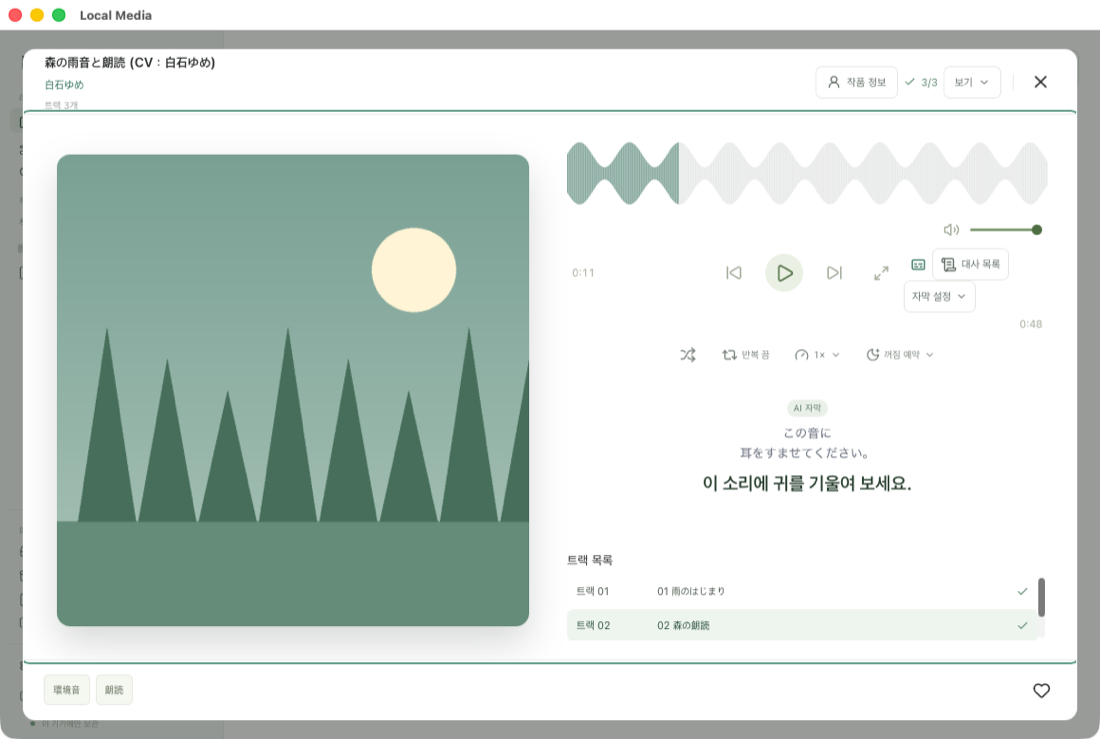
Listen in bed on your phone: with your computer on and your phone on the same Wi-Fi, scan a QR code and play in your phone’s browser. Two-line subtitles and a sleep timer. Nothing to install on the phone.
Line search and scene search: search the transcribed lines of every track and jump to that moment. The free edition shows the number of matches and the top 2.
Automatic mirrors for mainland China: if Hugging Face cannot be reached, translation packs come from hf-mirror or ModelScope.
External or local AI translation: connect an online service or an AI model on your own computer. Off by default.
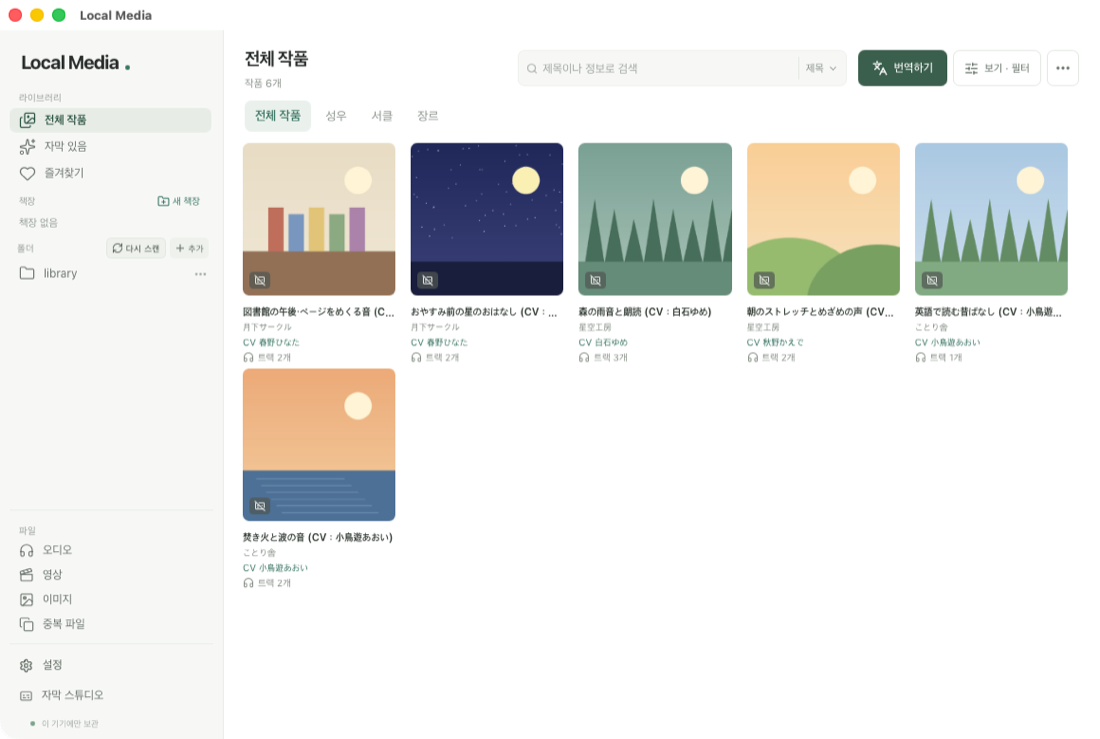
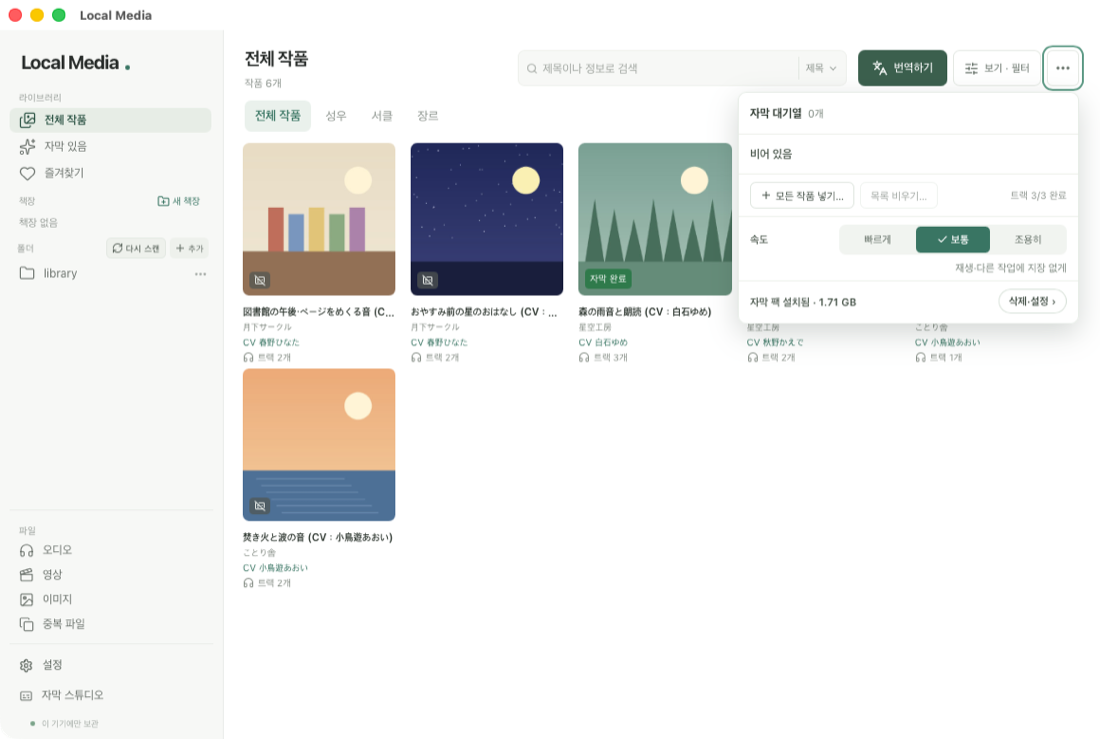
LibraryPlayer and subtitlesSubtitle queue
Screenshots from 0.3.36
Free edition / Full edition
Free edition
Unlimited library organization, playback, and full-track Japanese transcription. Korean, English, and Chinese translated subtitles cover the first 3 minutes of each track. Line search shows the number of matches and the top 2. Your own .srt/.vtt/.lrc files display in full.
Full edition · $29 · One-time payment
Full translation, all search results, subtitle export (SRT/VTT/TSV), Subtitle Studio, and a high-quality transcription model. Get it on Gumroad · $19 (first 50)
Windows 10/11 64-bit or macOS 14 or later on Apple Silicon (Intel Macs not supported) · 8GB RAM or more · Translation packs require an additional 1.1–1.7GB download within the app (from Hugging Face)